January 19th, 2026
FlowGenie Integrations Are Here
FlowGenie now has its first official “integrations”, including Google Sheets, Slack, and Notion.
While you could have always used the fetch node and environment variables to make request to any API, integrations provides a few advantages. For one, some services only allow getting API keys via an OAuth flow. Also, using integrations make it so that you don’t have to setup the apps in these services yourself.
Connecting to an integration
To connect an integration, go to the “Integrations” page and click “Connect” on the one you want to use. You may have to sign in, authorize FlowGenie, and/or select the pages you want FlowGenie to have access to.
Using an integration
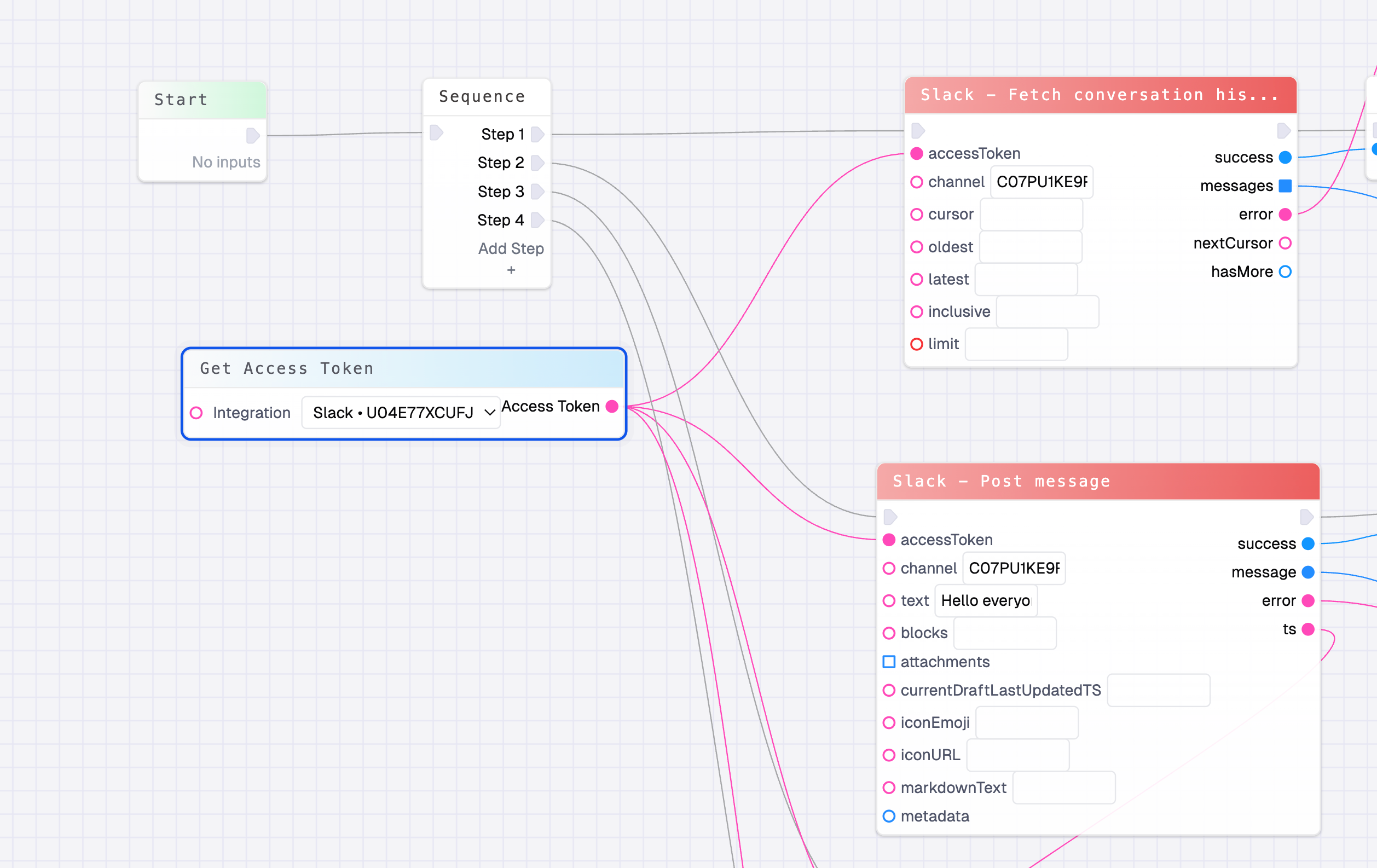
Once connected, you can use the Get Access Token node in the flow editor. This node has a dropdown that allows you to select one of the integrations, and it outputs the access token. One of these nodes can be read multiple times.
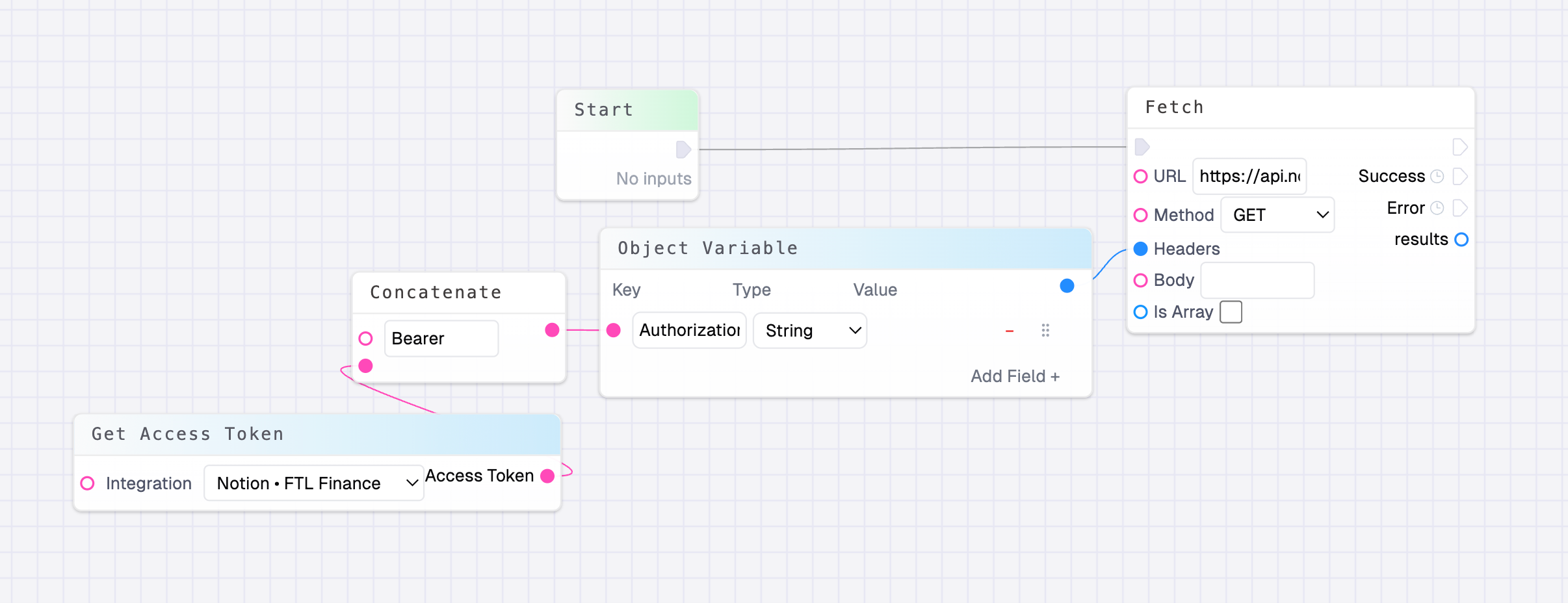
Typically, access tokens are provided to an Authorization header in the format of Bearer xxxxxxxx where the xxxx is your access token:
Integration Flows
While you could build your own fetch call like in the image above, there are also a few published flows that work with these integrations, such as “Slack - Post Message”. Many more of these flows, and integrations to come!